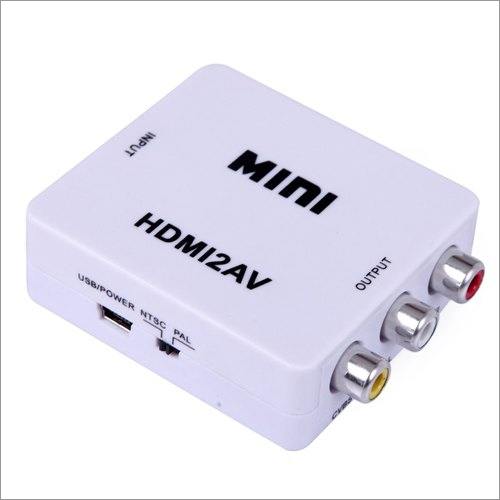
About HDMI To AV Converter
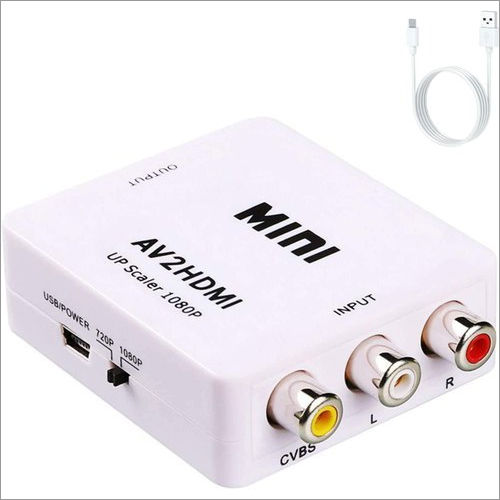
The HDMI To AV Converter offers a down to earth and productive answer for changing over top notch 1080p HDMI video sign to typical CVBS(AV) signal. It empowers to play top quality sound and video from the HDMI sound/video player on the simple TVs and screens. This item is excellent in performance, high in quality and durability. Our offered HDMI To AV Converter that we offer is checked from every end to ensure that we only deliver best grade products to our clients.
| Brand |
Mini |
| Converter type |
HDMI |
| Usage/Application |
Projectors |
| Connector Type |
Female |
| Model Number |
HDMI2AV |
Wide Compatibility for Diverse DevicesEasily connect HDMI sources like Blu-ray players, laptops, gaming consoles, and streaming sticks to AV projectors or televisions. This converter bridges the gap between modern and legacy AV equipment, enabling seamless multimedia experiences without technical hassles.
Effortless Installation and OperationWith its plug-and-play design, using this converter requires no special software or drivers. Simply power it with the included USB cable, connect HDMI and AV cables, and enjoy immediate signal conversion. Its compact size and lightweight ABS body make it easy to transport and set up anywhere.
FAQ's of HDMI To AV Converter:
Q: How do I set up the HDMI to AV Converter?
A: To set up, connect your HDMI source device to the converter's HDMI input, plug the RCA cables into your AV display, use the provided USB cable to power the converter, and select the appropriate NTSC or PAL format if required. No additional software is needed.
Q: What resolutions does the converter support from HDMI input?
A: The converter supports HDMI input resolutions of 480p, 720p, and 1080p, effectively downscaling the signal to 576i/480i composite video suitable for older AV equipment.
Q: When should I use this converter?
A: This device is useful when you need to connect modern HDMI-only devices to older TVs, monitors, or projectors with RCA input ports, such as during presentations or for connecting classic home entertainment systems.
Q: Where is the converter best suited for use?
A: The converter is ideal for use in home theaters, classrooms, offices, or any place where integration of modern HDMI and legacy AV systems is necessary.
Q: What is the process for switching between NTSC and PAL formats?
A: Depending on your region and display device, set the format switch on the converter to either NTSC or PAL before connecting to your AV equipment. This ensures optimal video compatibility.
Q: How does the HDMI to AV Converter benefit users?
A: This converter allows you to preserve and utilize existing AV equipment by enabling connectivity with today's HDMI devices, saving costs on upgrading displays while ensuring high compatibility and easy operation.
Q: Is any software installation required for the converter to work?
A: No software or drivers are necessary. Simply connect the devices and supply power via USB for immediate operation.

 Send Inquiry



 Send Inquiry

 Send Inquiry