About Chromecast Screen Mirroring Device
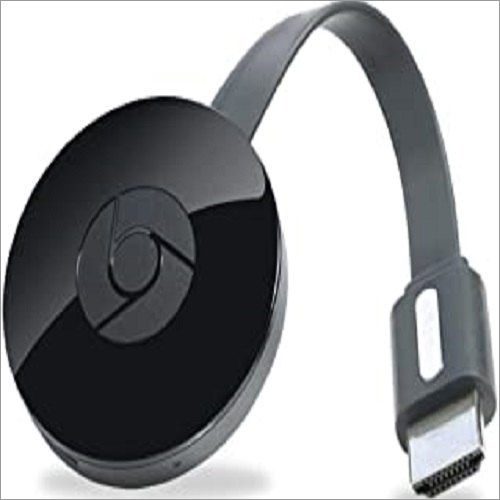
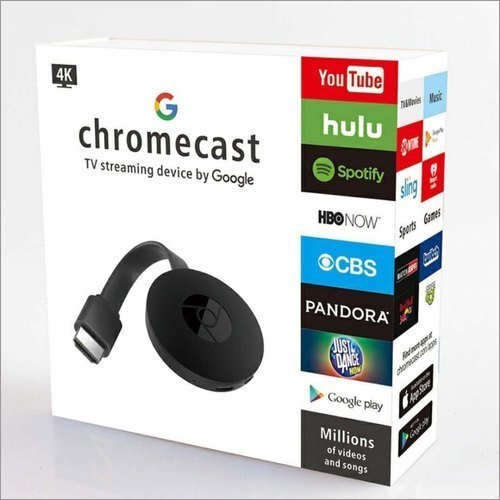
Chromecast Screen Mirroring Device projects a video to another presentation and utilizes the gadget, regularly a telephone or tablet, without intruding on the video or showing any of other elements. At the point when it cast content from the telephone to a TV, it will presently don't see the elements on the telephone. The Chromecast Screen Mirroring Device is reliable source of entertainment. All the provided pieces are authentic. Our clients can be avail from us at a reasonable price rate.
| Video Resolution |
1080p |
| Brand |
chromecast |
| Model |
chromecast |
| Wifi Enabled |
Yes |
Seamless Mirroring Across DevicesEnjoy effortless streaming from a wide range of devices, including Android, iOS, Windows, Mac, and Chrome OS. The Chromecast Screen Mirroring Device offers broad compatibility, ensuring you can mirror content in 1080p Full HD from virtually any major platform to your TV. Whether for presentations, movies, or casual browsing, it delivers clear, lag-free visuals.
Simple Installation and Easy ConnectivityDesigned for simplicity, this device is truly plug and play. Just insert it into an HDMI port on your TV, power it via the included Micro USB cable, and connect to your Wi-Fi network. No complex setup required. In just a few minutes, you're set to mirror your favorite shows or share your screen with a larger audience.
FAQ's of Chromecast Screen Mirroring Device:
Q: How do I set up the Chromecast Screen Mirroring Device on my TV?
A: Setting up the device is straightforward. Plug the device into your TV's HDMI port, use the supplied Micro USB cable for power, and then connect it to your Wi-Fi network. Follow the on-screen prompts to complete the setup, and you're ready to start mirroring from your compatible device.
Q: What types of devices are compatible with this Chromecast Screen Mirroring Device?
A: This device supports screen mirroring from Android, iOS, Windows, Mac, and Chrome OS devices. As long as your device can connect to the same Wi-Fi network and supports screen casting, you can use it to share content.
Q: When should I use the Chromecast Screen Mirroring Device?
A: Use this device whenever you want to display content from your smartphone, tablet, or computer onto a larger screen, such as for streaming videos, showing presentations, playing games, or browsing the internet in 1080p Full HD.
Q: Where can I use the Chromecast Screen Mirroring Device?
A: The device can be used anywhere with an HDMI-enabled TV and a Wi-Fi network, such as in living rooms, conference rooms, classrooms, or even during travel for portable entertainment.
Q: What is the process for connecting multiple devices to the Chromecast?
A: Multiple devices can connect to the Chromecast as long as they are on the same Wi-Fi network. Each user can take turns mirroring by using the screen cast feature on their respective device.
Q: How does using this device benefit me?
A: This device enhances your viewing experience by allowing you to wirelessly stream content in crisp 1080p Full HD. It's great for sharing media, collaborating in meetings, or enjoying a larger, more immersive display of your favorite apps and videos.

 Send Inquiry



 Send Inquiry

 Send Inquiry